Kendal
TypeScript Fields
String Interpolation
Clone
Inherit, Attribute & AttrReference
Kendal API
Plugin
Kendal Plugin Manual
How to add plugin to IntelliJ IDEA?
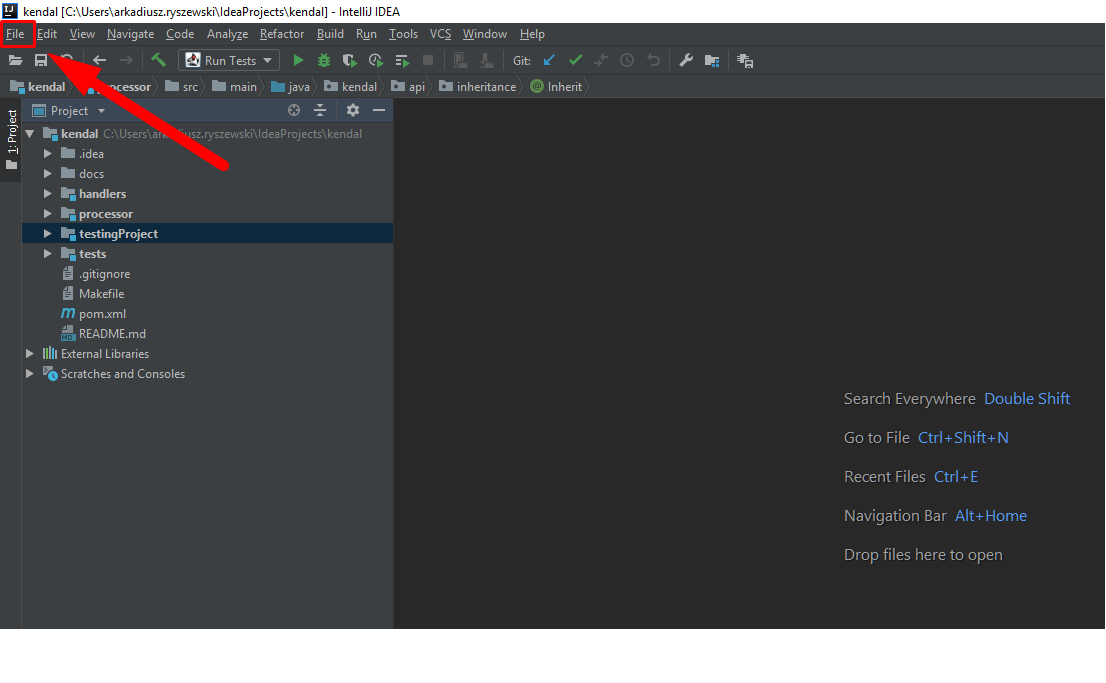
Click "File"
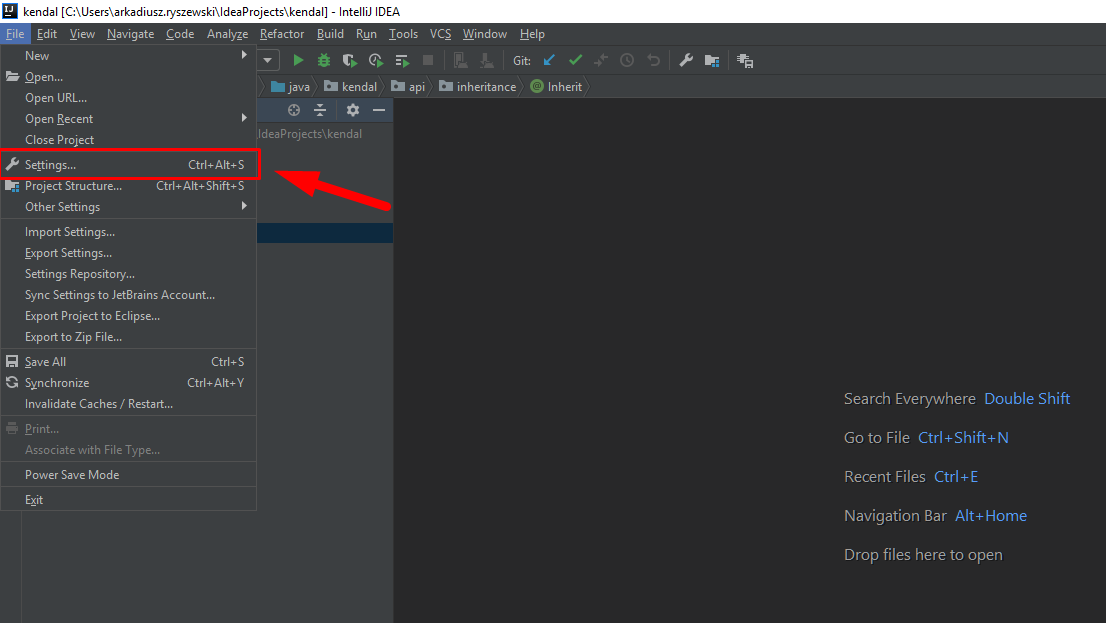
Click "Settings"
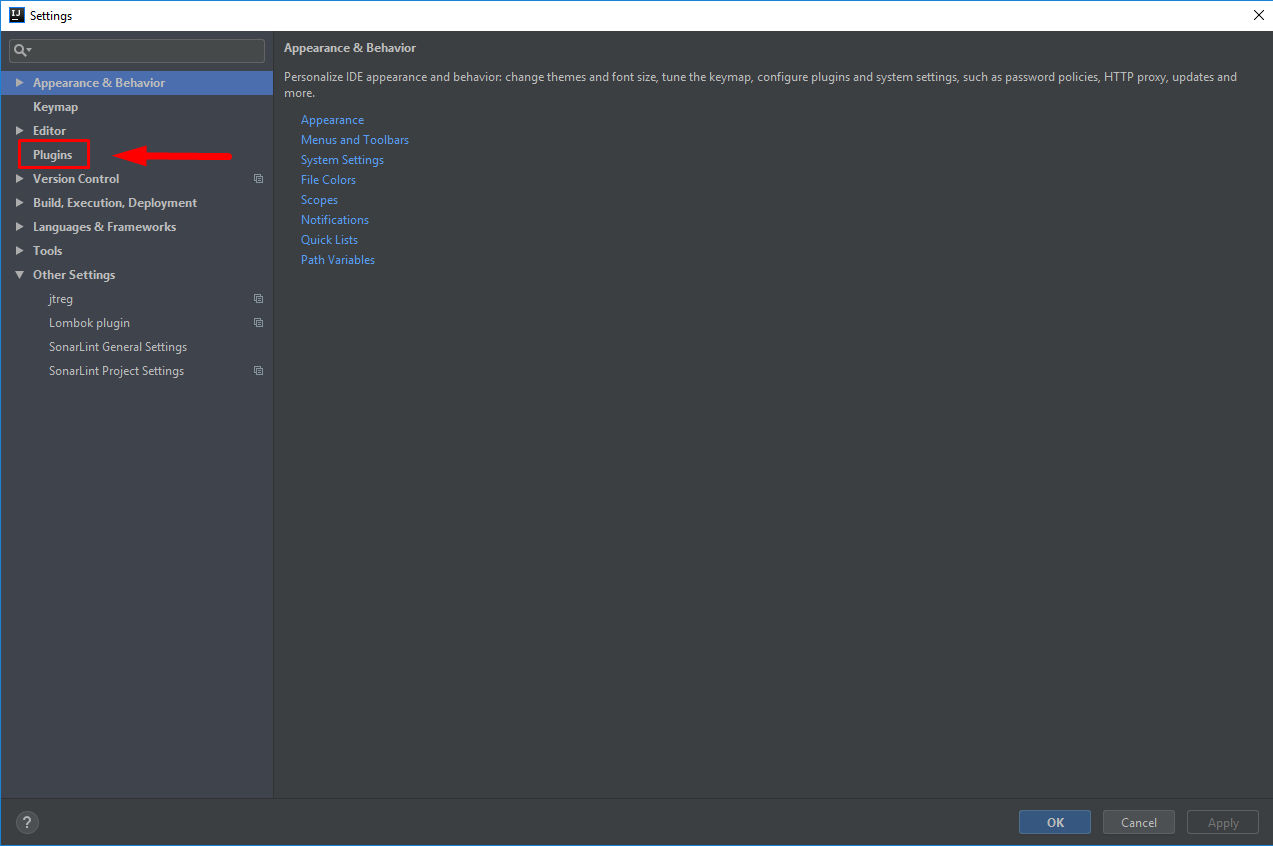
Select "Plugins" tab
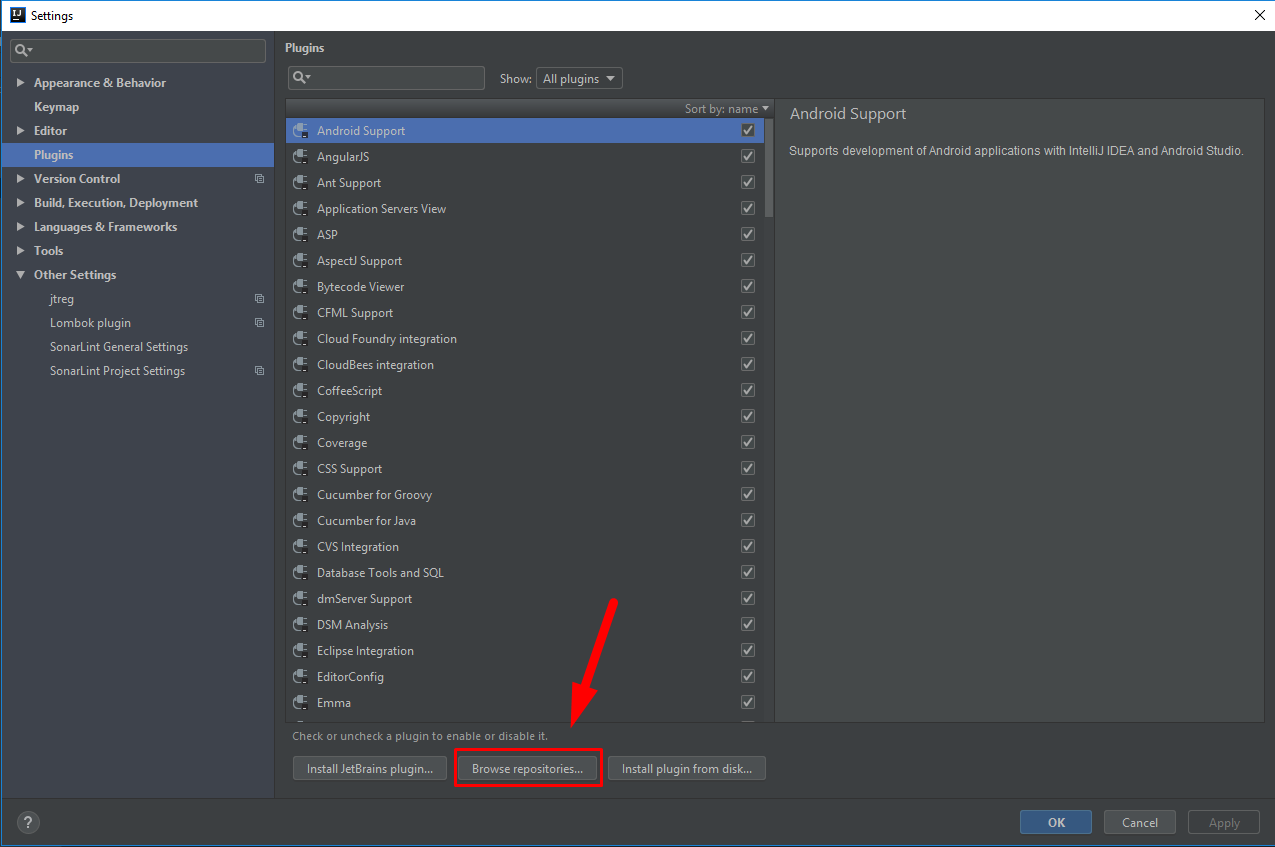
Click "Browse repositories..." button
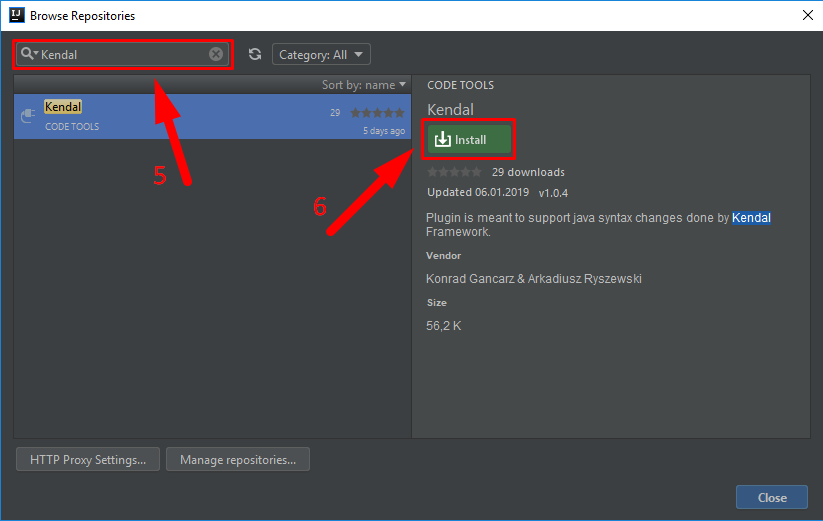
Search for "Kendal"
Click "Install"
Restart IntelliJ IDEA